
The photo
sells the coin.
No retouching, no embellishment, no deceit.
If you sell coins at auction regularly, you know how long every lot takes to prepare: shoot both sides, crop, centre, write the description – and, more often than not, a computer gets involved. NumiAssist fits all of that into one app on your phone: properly shot, cleanly processed photos, a draft text – and you get a complete listing, ready to publish.
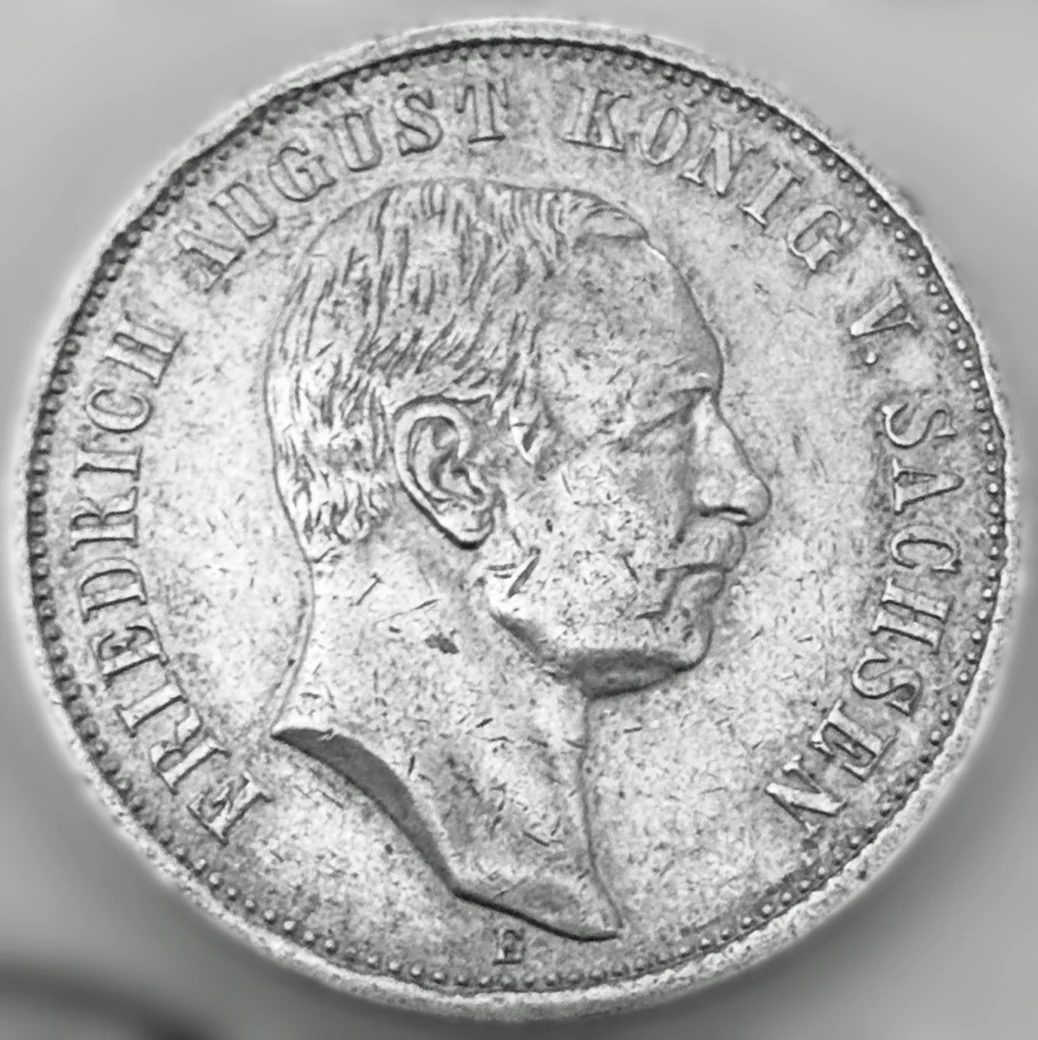
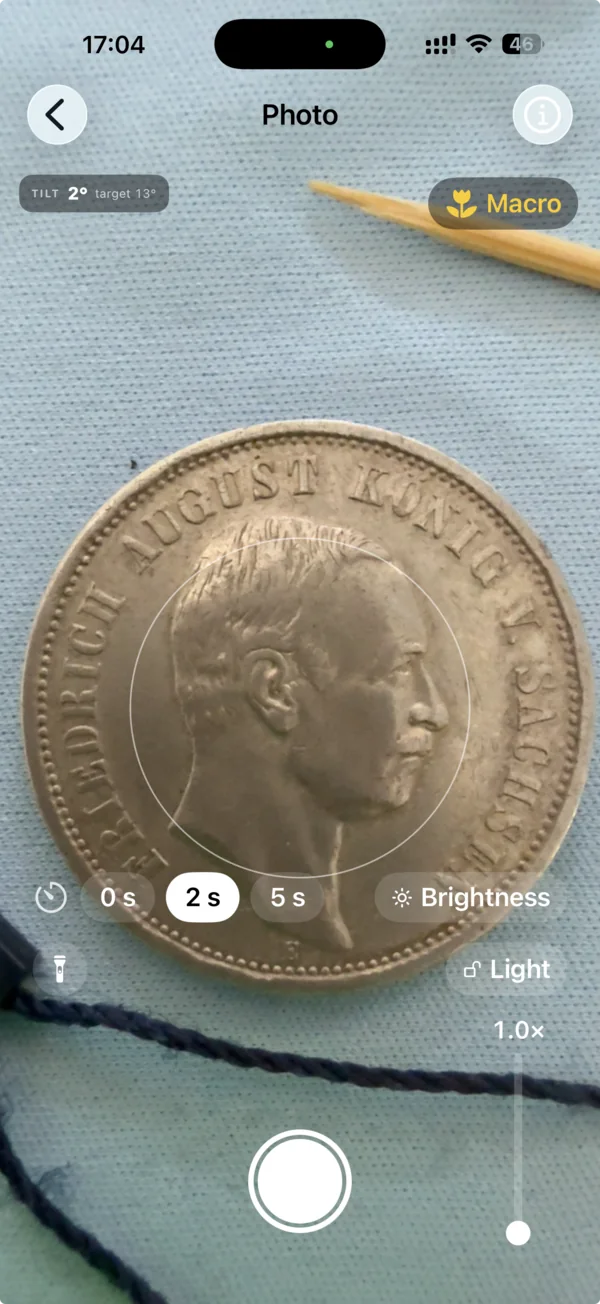
Everything it takes to publish a lot
The whole lot is prepared in the app. We remove what's extra and bring out what matters – the coin.
Shoot
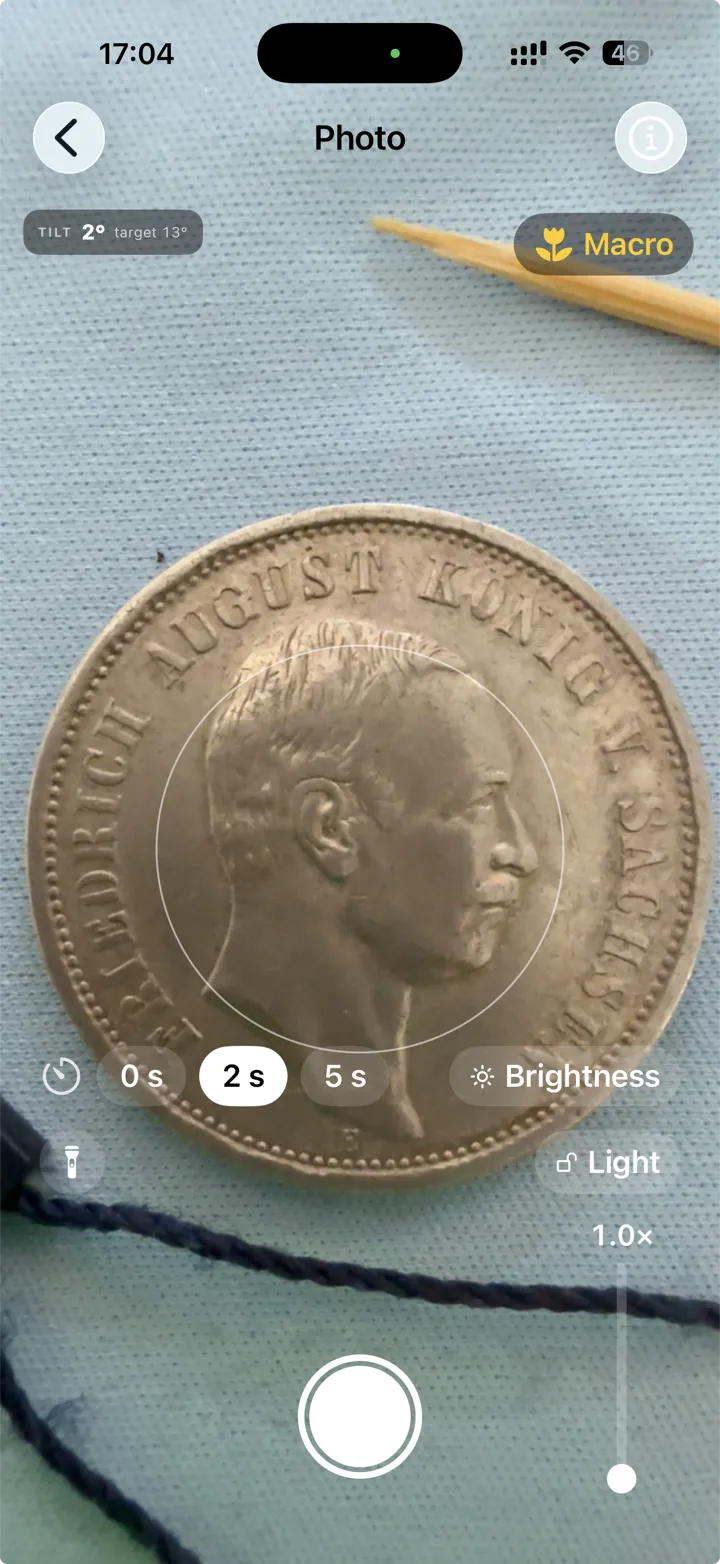
The familiar camera mode, with helpers built in. Glare zebras, the first side as an overlay, a tilt meter, a centring target, adjustable light.
Process the photo
The app finds the coin in the frame and then works on the shot: it straightens it, trims the extra margin, cleans up the background. Everything can be adjusted by hand – the original stays intact. The coin's surface is not altered or retouched.
Describe
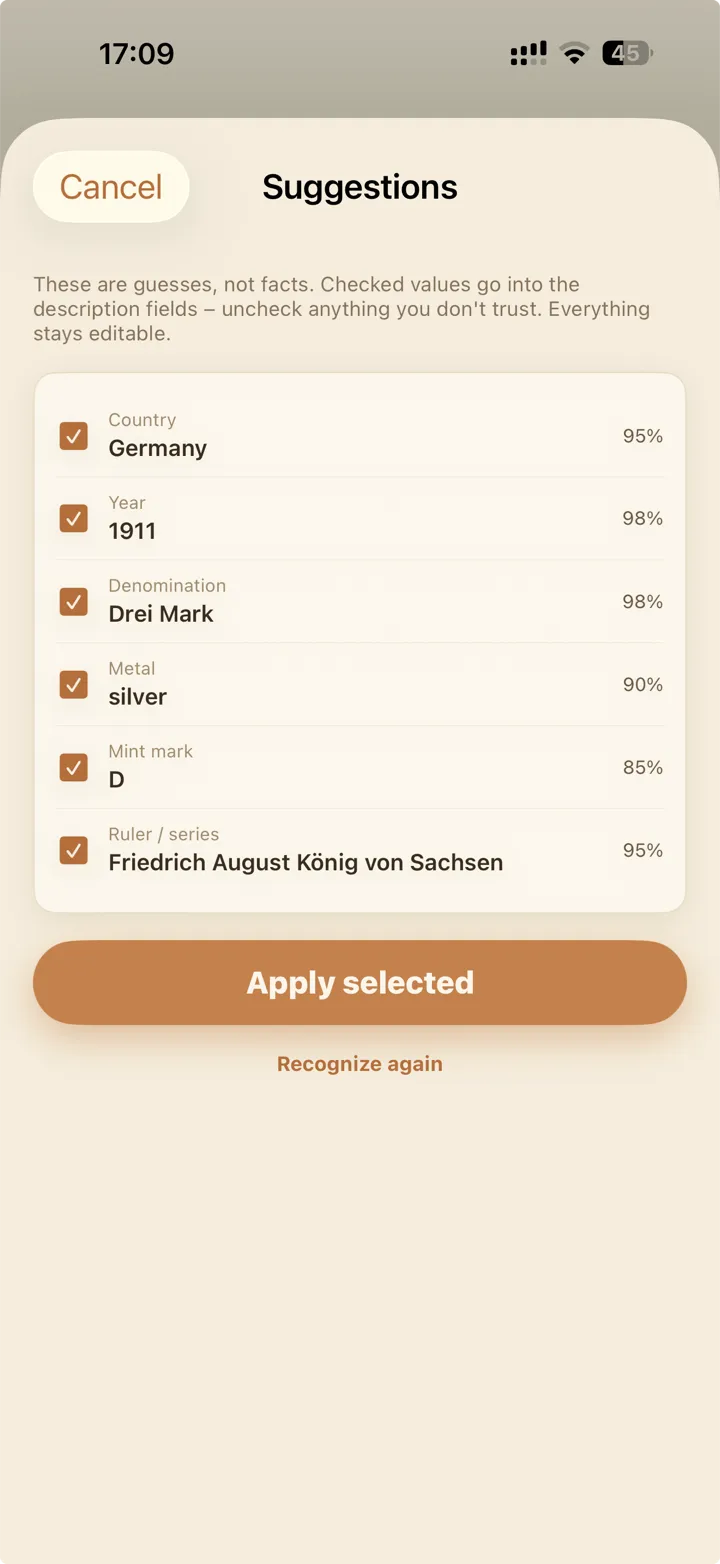
The description is built from a template, the coin's attributes are recognised automatically – you're left with minor corrections. Minimal typing.
Export
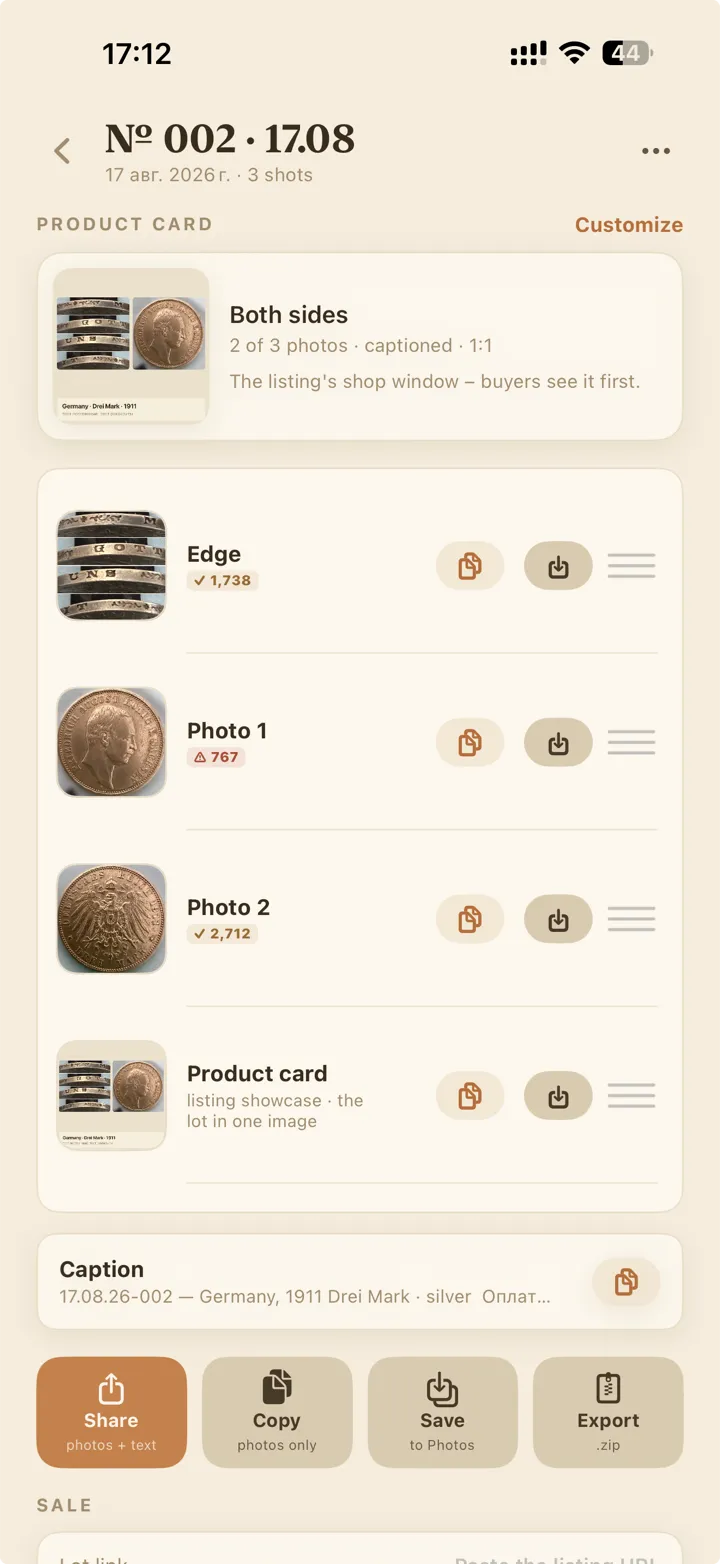
The processed photos and the description text are ready to publish on any marketplace.
Reply to the buyer
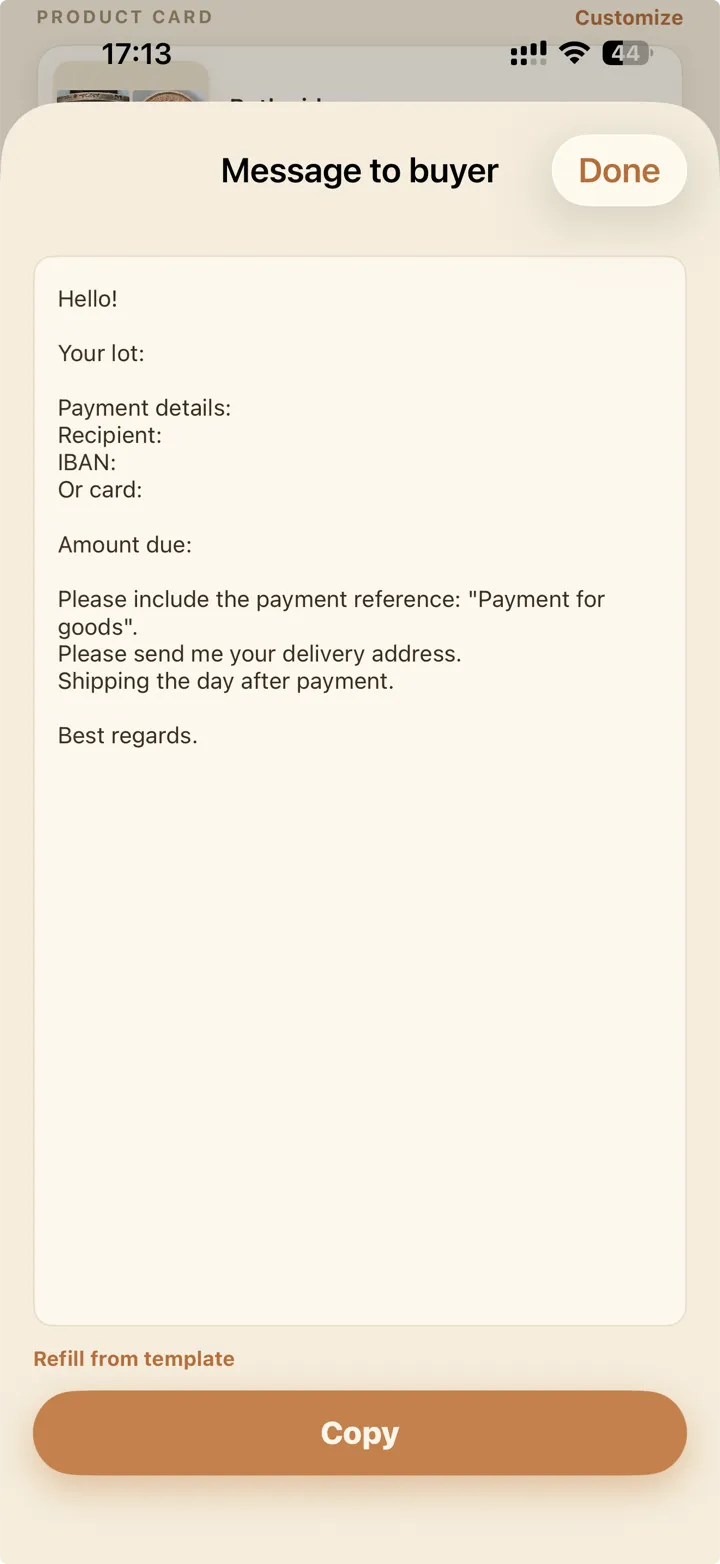
The reply to the buyer is built from your template. It takes the routine work off your hands.
You already know how to use it
Five screens, one thing to do on each: a camera that prompts you, the frame, the attributes to confirm, the finished lot, the message to the buyer.
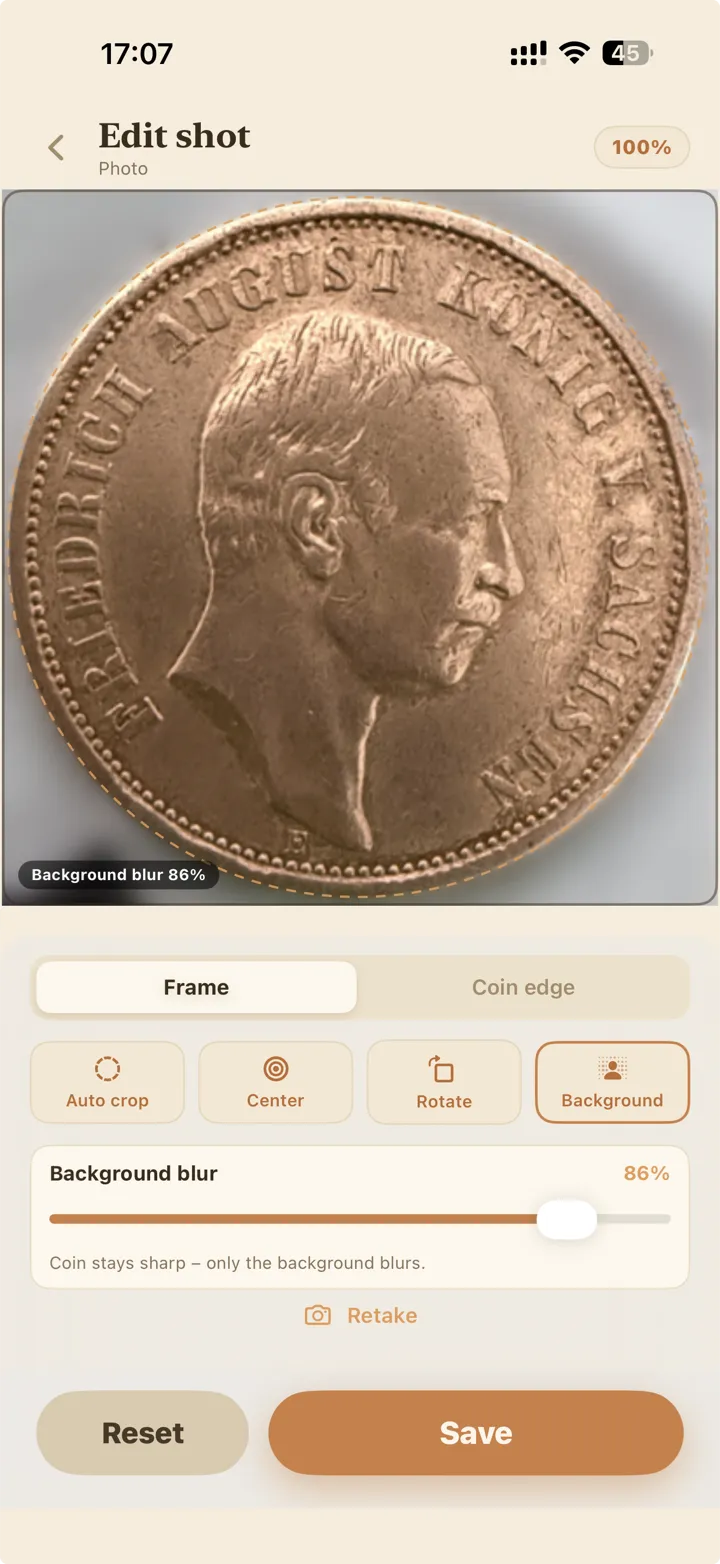
Processing is required. Retouching is forbidden.
Everything that helps the buyer see the coin gets fixed. Everything the buyer must judge for themselves stays exactly as shot. In NumiAssist this line is built into the processing itself.
In the frame – fixed:
- Crop and centring – the coin fills the frame, both sides matched.
- Background – clutter gone, one even backdrop.
- Geometry – no tilt, no skew.
- The edge – segments assembled into a single view.
On the coin – never:
- No retouching the surface.
- No hiding scratches, wear or cleaning marks.
- No «improving» colour or lustre.
Buyers bid on what they trust. A photo that hides nothing sells better than a photo that flatters.
What NumiAssist will never tell you
Honesty doesn't stop at the photo. A photograph cannot settle these questions, so the app does not pretend otherwise. Everything it reads comes back as a suggestion with a confidence level, and a field it cannot read stays empty rather than filled with a guess.
Authenticity
Counterfeits are caught by weight, metal and dies in hand. No app decides this from an image.
Grade
Grading is a judgement made under a loupe by a person who is accountable for it. We show the coin; you grade it.
Market price
Price depends on the buyer, the venue and the day. A number invented by us would only mislead yours.
What it does instead: reads what is legible – denomination, year, country, metal, diameter – and marks each with how sure it is. You confirm, correct, or leave it blank.
The next coin you sell deserves better photos.
Put it on the table, open NumiAssist, and publish a lot the buyer can trust – photos, description, the whole kit.
App Store Coming soon to
Google Play
iOS 18 or later · 7-day free trial · Subscription details